Home Based Learning
Find timetables, tasks, and login links for Home-Based Learning at Dunman Secondary, plus helpline details for SLS support during and outside school hours.
HBL (Home-Based Learning) Schedule
Main Learning Portal: Student Learning Space (SLS)
Supporting Learning Portal: Google G Suite (student.edu.sg)
For more details on HBL matters, such as timetables and tasks, please visit the HBL@Dunman infosite here (opens in new tab).
Learning Portals
Please click here (opens in new tab) to login to SLS.
Please click Please click (opens in new tab) to login to Google Workspace (formerly G Suite).
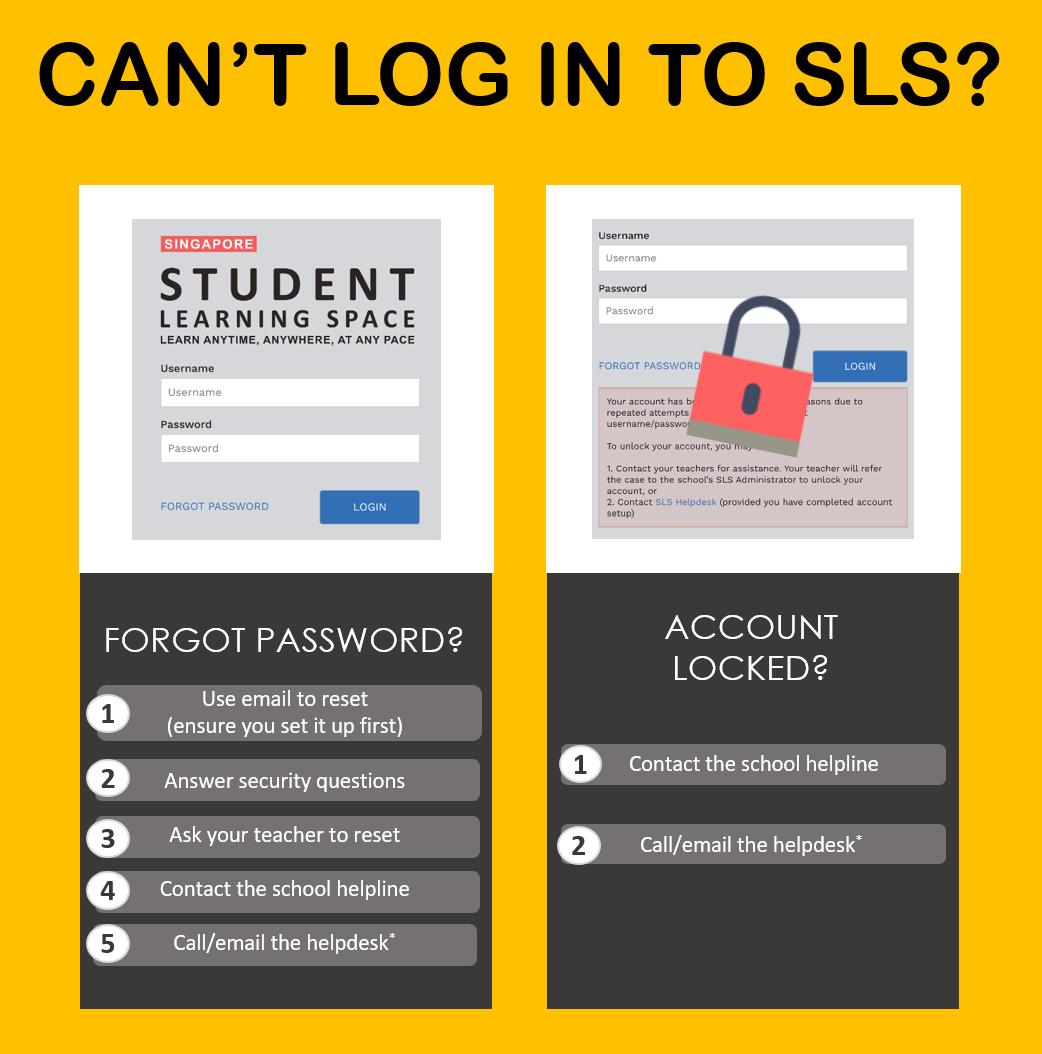
SLS Support for Home-Based Learning
User Guide for Login and Technical Issues: Please click here (opens in new tab).
School Operating Hours
Mondays - Fridays: 8:00 a.m. - 4:00 p.m.
During school operating hours, students may contact the School-based Helpline for SLS queries including all SLS access matters such as password reset and unlocking of accounts.
School-based Helpline (for MIMS / SLS password reset): Please click here (opens in new tab).
For queries regarding lessons/ assignments, students may contact the General Office at 6786 2668 or through their teachers' emails at here.
For other matters, students can email the SLS Helpdesk at helpdesk@sls.ufinity.com. When emailing the SLS Helpdesk, they should include their full name, name of school and form class.
Non-School Operating Hours
Students can only contact the SLS Helpdesk outside the school operating hours.
SLS Helpdesk: 6702 6513
Mondays - Fridays: 4:00 pm - 9:00 pm
Saturdays: 9:00 am - 3:00 pm